-Eclipse Che(原生开发环境)下载 v7.27.2官方版
Eclipse Che是一款开源的原生IDE,主要用于原生系统的开发,可进行程序的编码、构建、测试和运行,具有强大的扩展功能可添加插件,知识兔适用于多种开发语言,分享结构化的工作区、项目输入、模块化扩展插件,知识兔支持 Codenvy 的引擎。
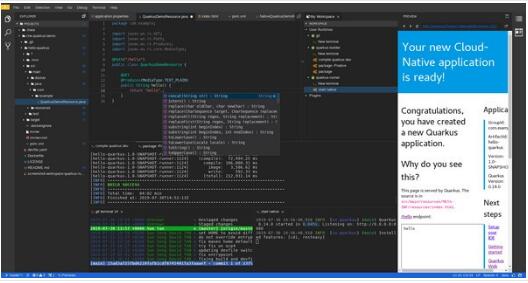
软件功能
生产运行时间
“开发模式 “您的工作空间
使用任何IDE
基于团队的开发
语言服务器协议
调试器
SSH/终端
堆栈
RESTful工作空间
云端IDE
多项目
指令
预览
灯光主题
插件
开源
Eclipse Che安装教程
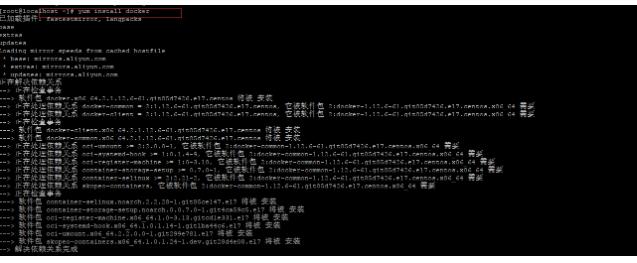
首先:安装Docker
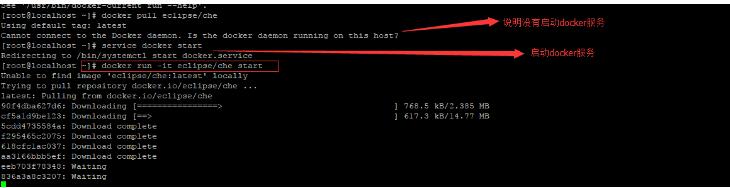
yum install docker
service start docker
关闭防火墙
systemctl stop firewalld.service #停止firewall
systemctl disable firewalld.service #禁止firewall开机启动
sudo chmod 777 /var/run/docker.sock
Source code
WARN: Bound ‘eclipse/che’ to ‘eclipse/che:5.20.0’
WARNING: Usage of loopback devices is strongly discouraged for production use. Either use `–storage-opt dm.thinpooldev` or use `–storage-opt dm.no_warn_on_loop_devices=true` to suppress this warning.
INFO: Welcome to Eclipse Che!
INFO:
INFO: We could not resolve DockerHub using DNS.
INFO: Either we cannot reach the Internet or Docker’s DNS resolver needs a modification.
INFO:
INFO: You can:
INFO: 1. Modify Docker’s DNS settings.
INFO: a. Docker for Windows & Mac have GUIs for this.
INFO: b. Typically setting DNS to 8.8.8.8 fixes resolver issues.
INFO: 2. Does your network require Docker to use a proxy?
INFO: a. Docker for Windows & Mac have GUIs to set proxies.
INFO: 3. Verify that you have access to DockerHub.
INFO: a. Try ‘curl –head hub.docker.com’
INFO: 4. Skip networking checks.
INFO: a. Add ‘–fast’ to any command
提示上面这个错误,是因为这台计算机无法访问hub.docker.com,所以你可以选择跳过检查。带上鈥揻ast参数。
docker run -it 鈥搑m -v /var/run/docker.sock:/var/run/docker.sock -v /opt:/data eclipse/che start 鈥揻ast

本以为安装成功了!结果出了新的错误。
Source code
ERROR: for che Cannot start service che: driver failed programming external connectivity on endpoint che
(a20242e3bf7f8b98f31193e26fb135ece518bc81f8366a31f225102d65339c5f):
iptables failed: iptables –wait -t nat -A DOCKER -p tcp -d 0/0 –dport 8080 -j DNAT –to-destination 172.17.0.4:8080 ! -i docker0:
iptables: No chain/target/match by that name.
(exit status 1)
Encountered errors while bringing up the project.
ERROR: Error during ‘compose up’ – printing 30 line tail of /opt/cli.log:
上面这个错误,其实很好解决,重启下docker即可。
service docker restart
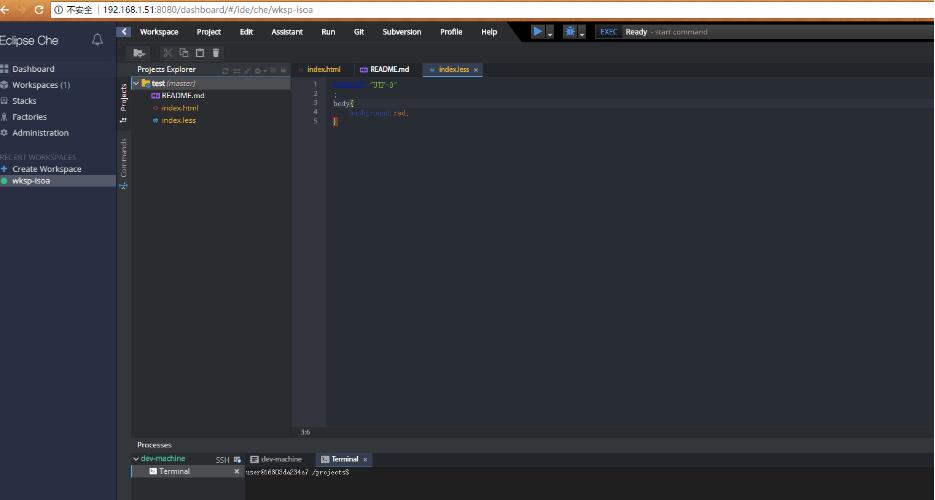
大功告成
关闭容器
sudo docker run -it 鈥搑m -v /var/run/docker.sock:/var/run/docker.sock -v /opt:/data eclipse/che stop 鈥揻ast
下载仅供下载体验和测试学习,不得商用和正当使用。